
In this post we will discuss about Events Services in Oracle Cloud Infrastructure (OCI).
Events Service
The Event service enables you to create rules to respond to state changes in your cloud resources. It acts like a watchful guardian for your cloud resources. It keeps an eye on everything that's happening in your cloud environment and lets you know whenever something important occurs.
When something significant happens, like starting or stopping an instance, the Events service sends you a message to let you know about it.
- Rules - Rules act as the instructions you give to the system regarding what events to watch for and what actions to take when those events occur.
- Event Conditions -Rules define the conditions or criteria that trigger actions. These conditions can be based on various factors like resource lifecycle events (e.g., instance starting or stopping), changes in resource state, or custom events generated by your applications.
- Actions - If an event matches the conditions specified in a rule, the Events service executes the associated actions. These actions could include sending notifications via the Notifications service, triggering functions in Oracle Functions, invoking APIs, or updating resource configurations.
So, let's work with Events service in OCI. Follow the below steps to setup Events Service
- Login to OCI Console. Navigate to Navigation Menu -> Observability & Management -> Rules

- Choose the compartment and then click on Create Rule button

- Enter the Name and Description of the rule

- In this example we will catch/monitor the events whenever any compute instance is started or stopped in OCI, so in Rule Conditions, choose the Service Name as Compute.

- In Event Type, choose the Instance Action - Begin and Instance Action - End


- In Actions section, choose Action Type as Notification

- Then choose the compartment and select the Topic that we created in our last post (click here here to see) and then click on Create Rule Button

- So, rule will be created and subscriber will receive email notifications whenever any compute instance is started or stopped in OCI

- When instance starts stopping you will receive Begin Event:
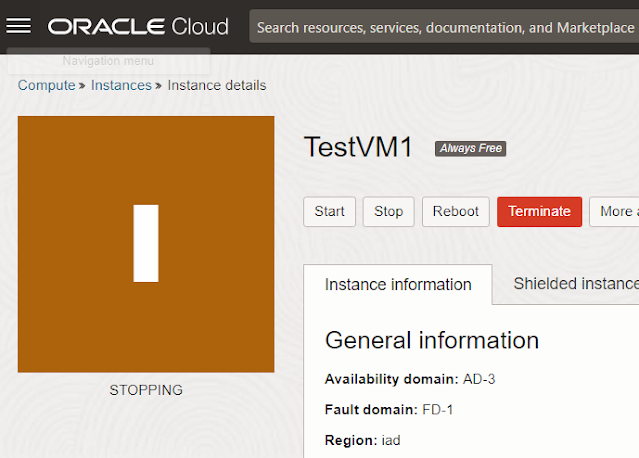

- And, once instance is fully stopped you will receive End Event


- Make sure that both the event and compute instance must be in same compartment. Below are the notification details:
- Instance Action - Begin

- Instance Action - End

Thanks!
Comments
Post a Comment